Core problem
Sales operations become fragile and staff revert to paper lists when checkout depends on constant internet access.
Capability page
A POS system that works offline is not just a nice feature badge. It is a continuity decision. Businesses usually search this term because they cannot afford sales to stop, staff to improvise, or records to drift every time connectivity becomes unstable.
Core problem
Sales operations become fragile and staff revert to paper lists when checkout depends on constant internet access.
Real buying intent
Teams want offline resilience, automatic duplicate-free sync, and supervisor permissions that stay locked down.
Best-fit buyer
Retailers, busy restaurants, pharmacies, and multi-branch teams operating where internet reliability varies.
Product proof
Screenshots help buyers and crawlers understand that TselevPOS is a real operating system, not just a feature list. The interface supports checkout, inventory visibility, reporting, and daily store control across common business devices.
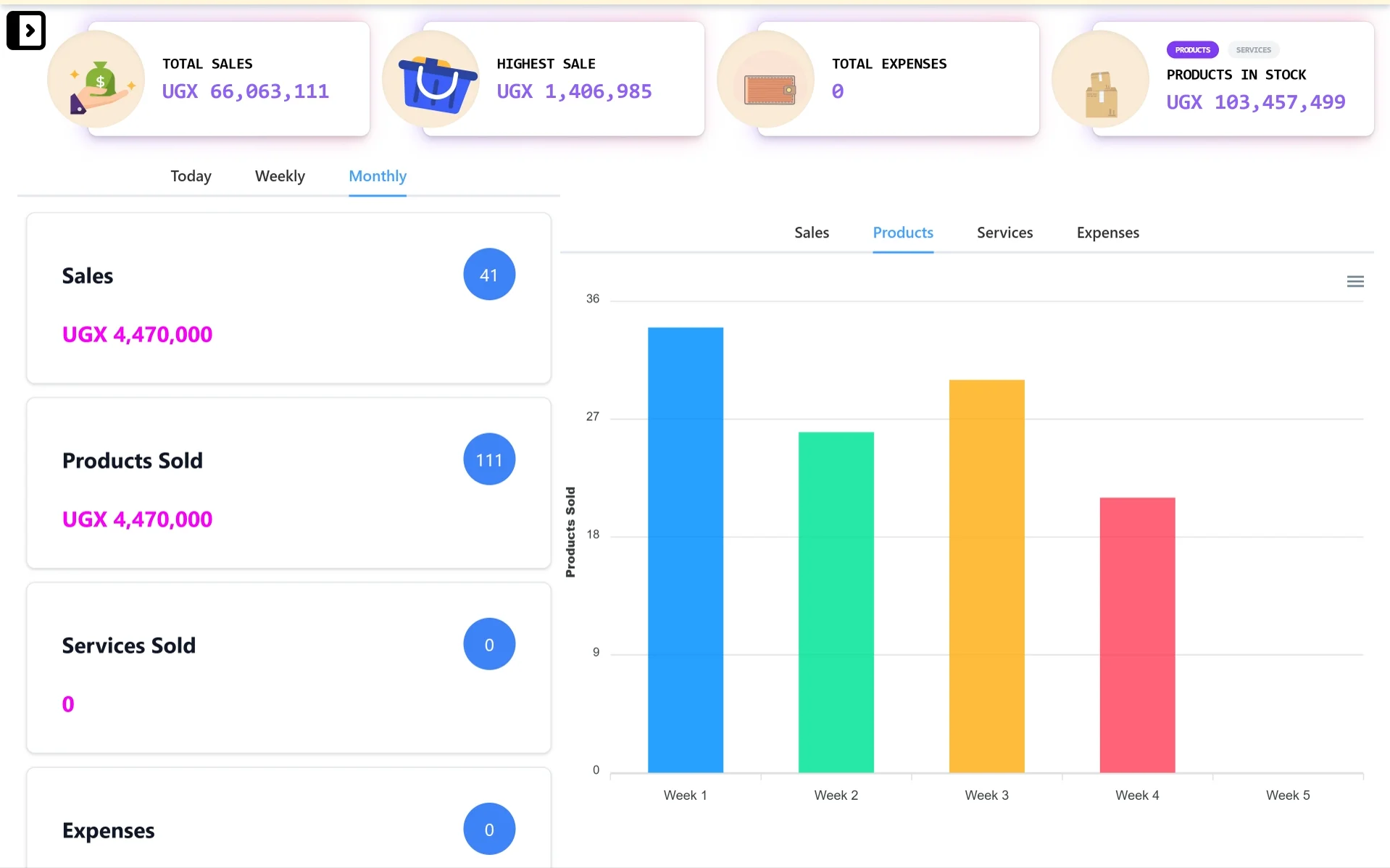
Desktop control center
A wider dashboard view for owners and managers who need sales totals, stock value, expense visibility, and reporting charts from a laptop or desktop.
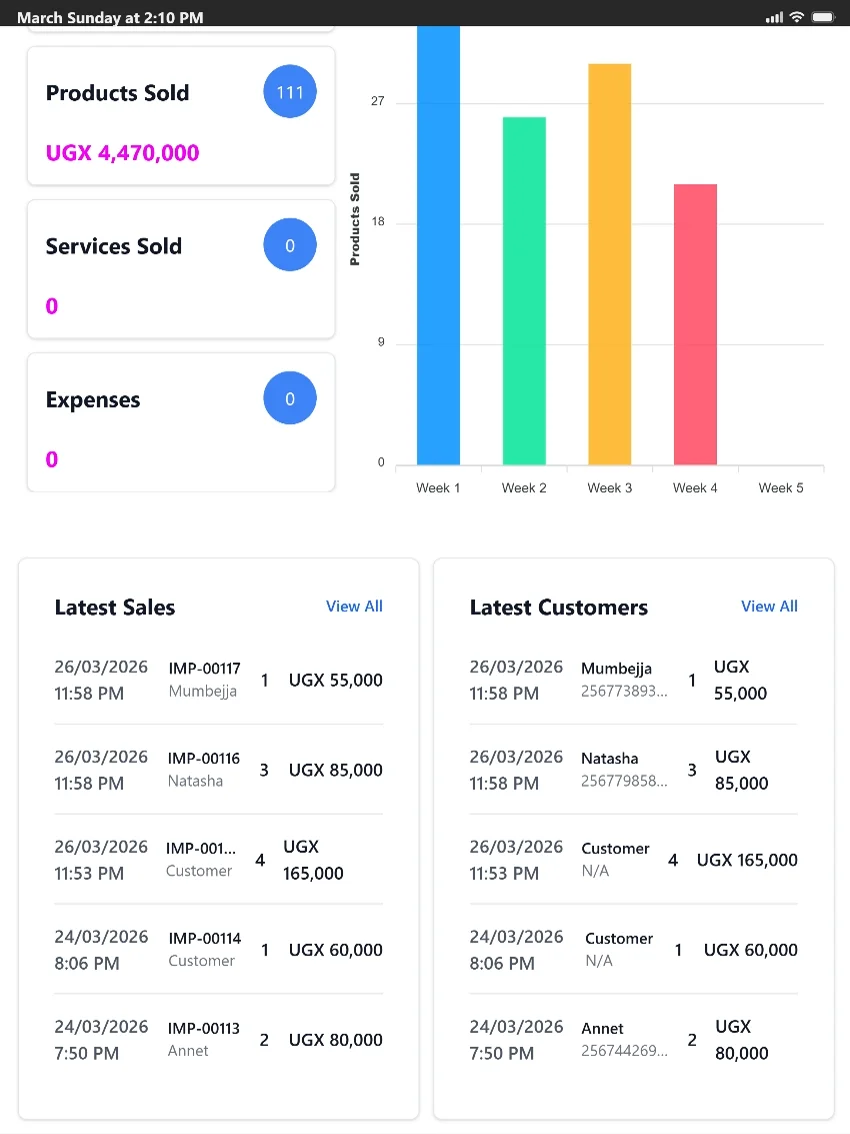
Tablet-friendly checkout
A tablet-friendly view for counters and supervisors who need quick access to products sold, latest sales, customer activity, and reports.
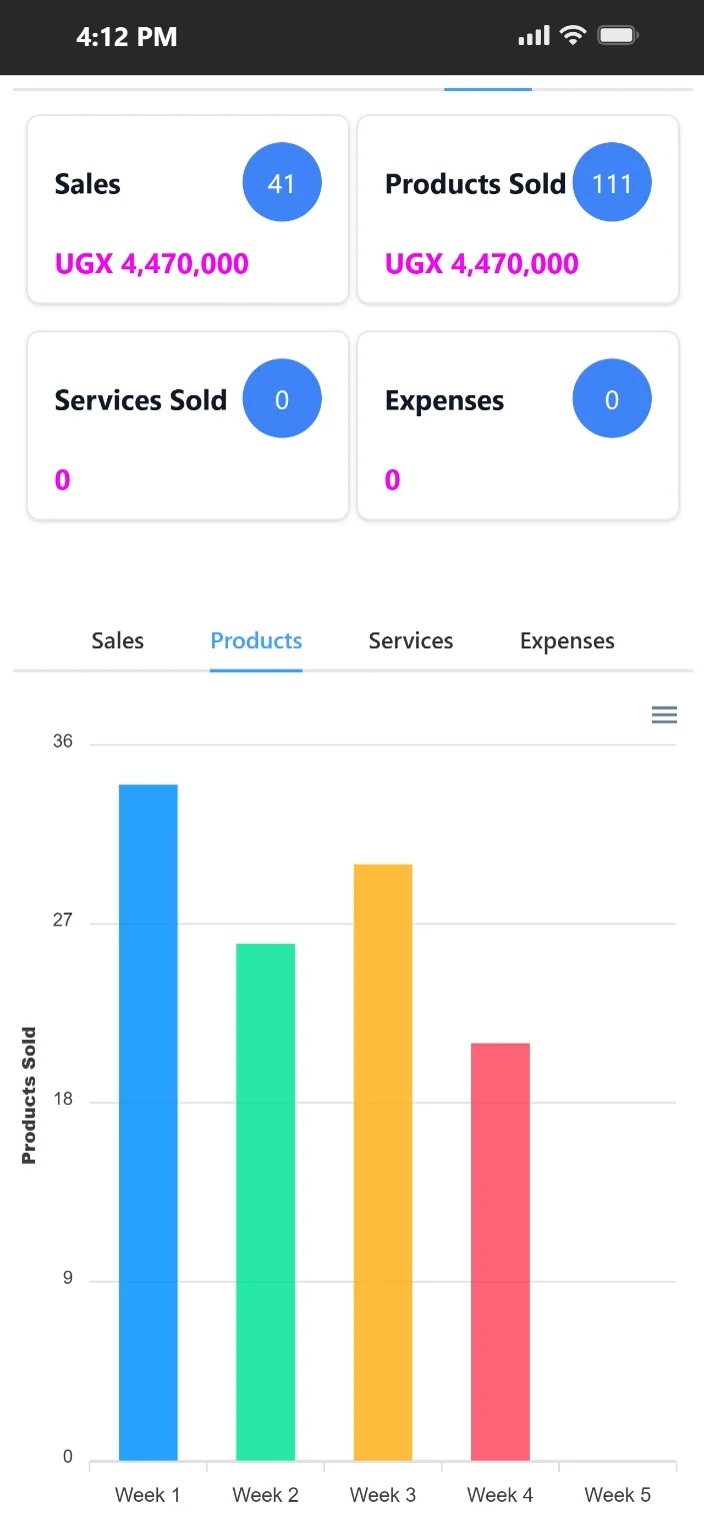
Mobile access on the go
Mobile-friendly access helps owners and supervisors review sales, products sold, expenses, and product movement when they are away from the counter.
Feature evidence
Real-world outcome
Cut checkout bottlenecks during peak hours
"Busy evenings used to be chaotic when the network fluctuated. With TselevPOS, our service flow is cleaner, and everything syncs perfectly once connection returns."
Mercy Achieng
Savanna Bistro · Hospitality · Jinja, Uganda
A serious offline workflow should preserve the basic selling motion: product selection, checkout, payment capture, and clean continuation of store operations until connectivity stabilizes.
It should also prevent cashier fraud during outages. If role controls and discount permissions fail when the internet is cut, cashiers can easily leak margins without supervisor oversight.
TselevPOS is built for businesses that need continuity under normal day-to-day pressure, including moments when internet quality is inconsistent.
That makes it especially relevant for teams that would rather standardize around one practical system than depend on temporary notebooks, memory, or manual reconstruction after disruptions.
Buyer evaluation
Check if user roles (like cashier vs. supervisor) still restrict unauthorized discounts during offline mode.
Verify that sales data uploaded post-outage matches local cashier logs without generating duplicate records.
Ensure local stock calculations sync correctly without messing up real-time inventory levels.
Warning signs
Trial checklist
Supported footprint
Compliance boundaries
Next step
These pages are meant to help serious buyers evaluate operational fit. If the workflow, controls, and reporting model match what your team needs, the next step is to see the product in context.
FAQ
Yes. It runs checkout, collects sales, and manages local counters offline, then syncs with the cloud database as soon as a connection is restored.
Yes. TselevPOS caches user permissions locally, so cashiers cannot bypass supervisor approvals just because the network is offline.
Sales are queued and decremented locally. Once the system reconnects, it syncs the updates to align all inventory records.