Search intent
Software selection. Buyers want to compare POS software efficiency and setup flexibility.
Core commercial page
POS software is usually evaluated when a business wants cleaner control without adding unnecessary complexity. The question is not whether the product has features. The question is whether the software helps the team run the business better every day.
Search intent
Software selection. Buyers want to compare POS software efficiency and setup flexibility.
Main outcome
Find software that runs on standard consumer devices, saving hardware startup costs.
Ideal buyer
Agile retailers, salons, and boutique owners replacing spreadsheets or manual registers.
Product proof
Screenshots help buyers and crawlers understand that TselevPOS is a real operating system, not just a feature list. The interface supports checkout, inventory visibility, reporting, and daily store control across common business devices.
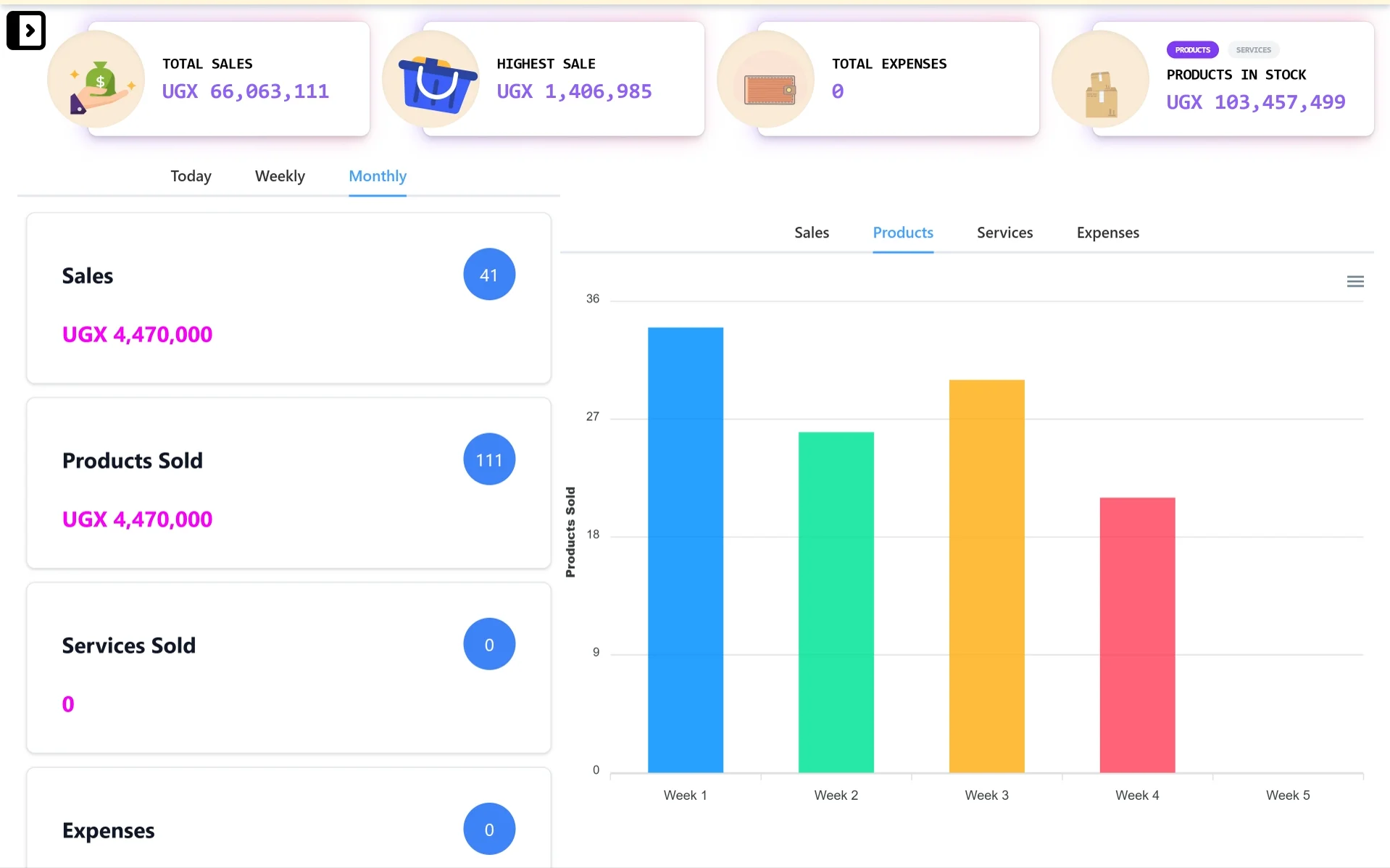
Desktop control center
A wider dashboard view for owners and managers who need sales totals, stock value, expense visibility, and reporting charts from a laptop or desktop.
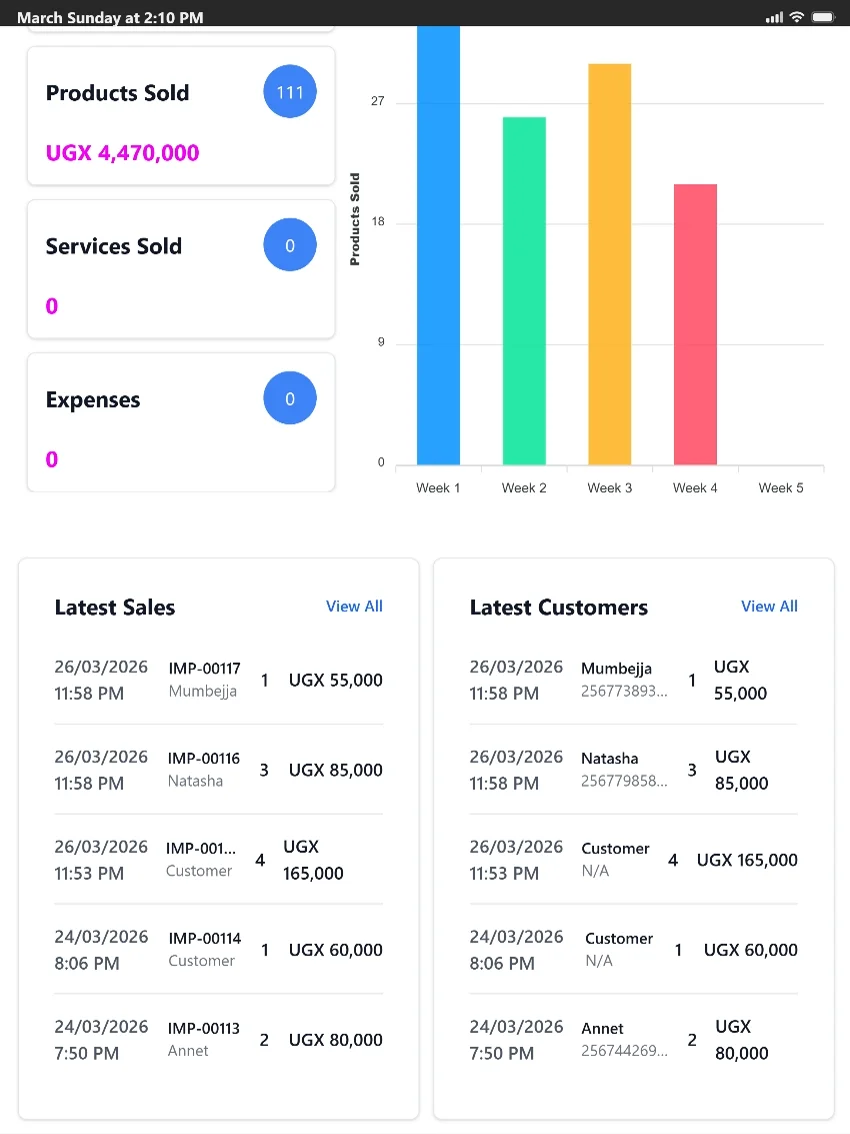
Tablet-friendly checkout
A tablet-friendly view for counters and supervisors who need quick access to products sold, latest sales, customer activity, and reports.
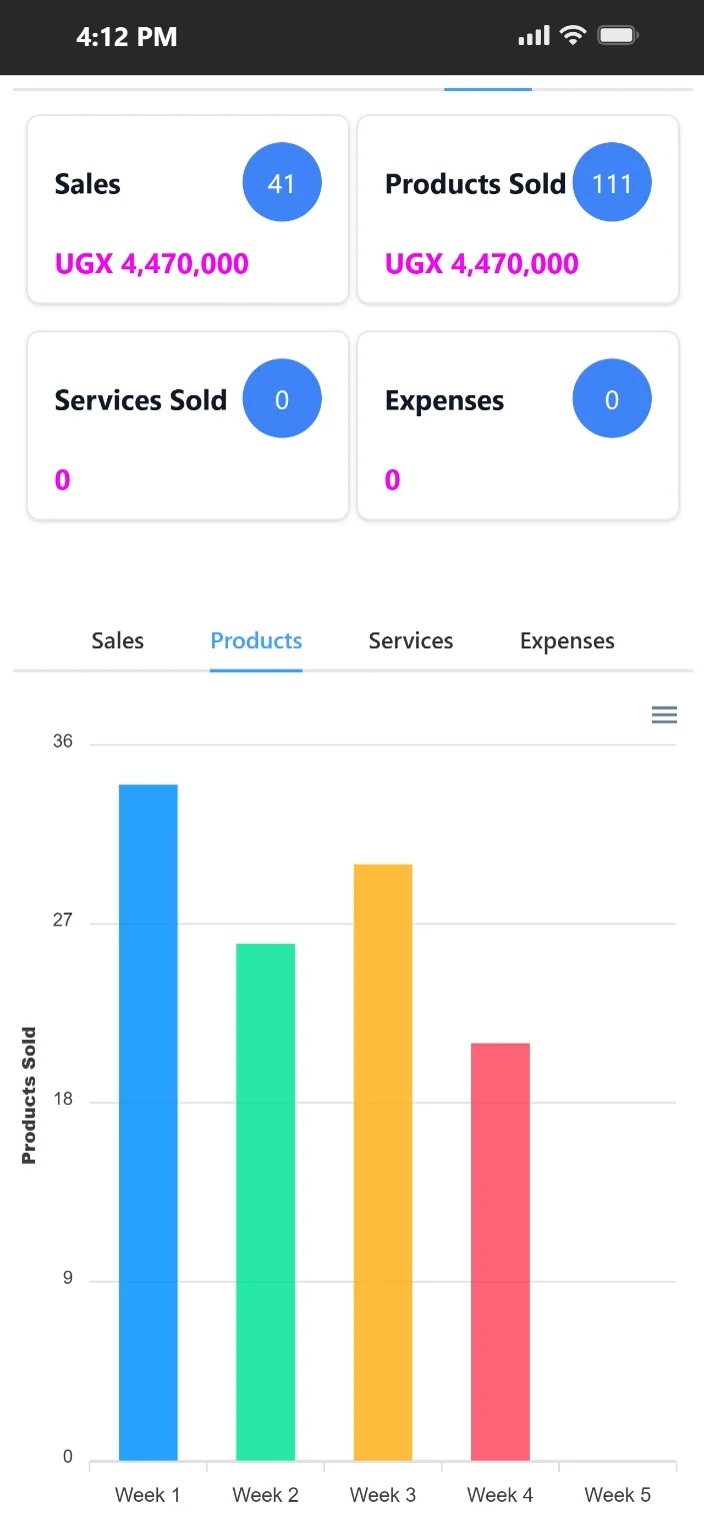
Mobile access on the go
Mobile-friendly access helps owners and supervisors review sales, products sold, expenses, and product movement when they are away from the counter.
Feature evidence
Real-world outcome
Onboarded new cashiers in less than half the previous time
"Training new staff is much easier now. The software is straightforward, runs on our tablets, and we saved on hardware."
Peter Mwangi
Fresh Basket · Retail · Nairobi, Kenya
POS software becomes valuable when it reduces counter friction. It replaces slow, error-prone cash register buttons and logs transactions in a clean, modern UI.
For growing businesses, the best POS software runs on your existing devices (like Android tablets or laptops) to minimize startup costs, while integrating directly with mobile money payment tracking.
TselevPOS is built for businesses that want software to strengthen operations, not merely digitize a weak process.
It is strongest when the business needs one place for stock, sales, reports, and team controls instead of several lightweight tools stitched together informally.
Buyer evaluation
Can the software run smoothly on standard laptops, Android tablets, or smartphones without special drivers?
Does the software queue sales offline and upload them when connectivity is restored?
Is there a simple way to log MTN and Airtel Mobile Money payments alongside cash?
Warning signs
Trial checklist
Supported footprint
Compliance boundaries
Next step
These pages are meant to help serious buyers evaluate operational fit. If the workflow, controls, and reporting model match what your team needs, the next step is to see the product in context.
FAQ
TselevPOS is web and tablet friendly. It runs on any modern web browser, Android tablet, iPad, or standard laptop.
Yes. It works with standard USB, Bluetooth, and network thermal receipt printers.
Yes. You can record customer names, phone numbers, and view their purchase history at checkout.