Primary promise
Access, visibility, and real-time oversight across all locations without manual report chasing.
Commercial page
Cloud POS in Uganda should mean more than access from a browser. It should give owners faster visibility, reduce spreadsheet dependence, and help teams coordinate checkout, stock, and reporting without losing the operational discipline that makes the data trustworthy.
Primary promise
Access, visibility, and real-time oversight across all locations without manual report chasing.
Evaluation question
Does the cloud setup actually improve cashier control, or does it simply move the same manual confusion online?
Good fit
Growing businesses in Uganda that want owners and supervisors to review sales and stock faster across locations.
Product proof
Screenshots help buyers and crawlers understand that TselevPOS is a real operating system, not just a feature list. The interface supports checkout, inventory visibility, reporting, and daily store control across common business devices.
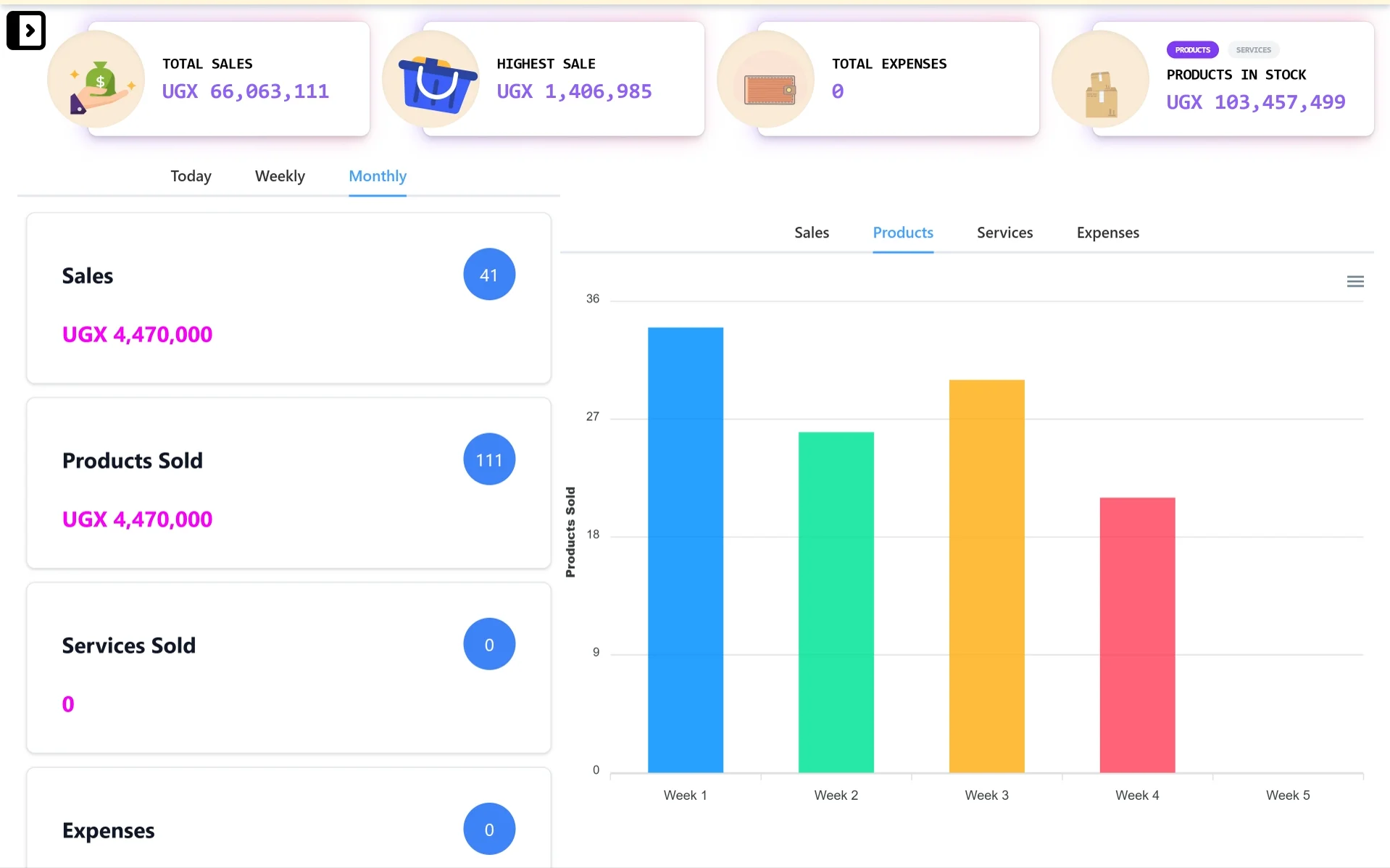
Desktop control center
A wider dashboard view for owners and managers who need sales totals, stock value, expense visibility, and reporting charts from a laptop or desktop.
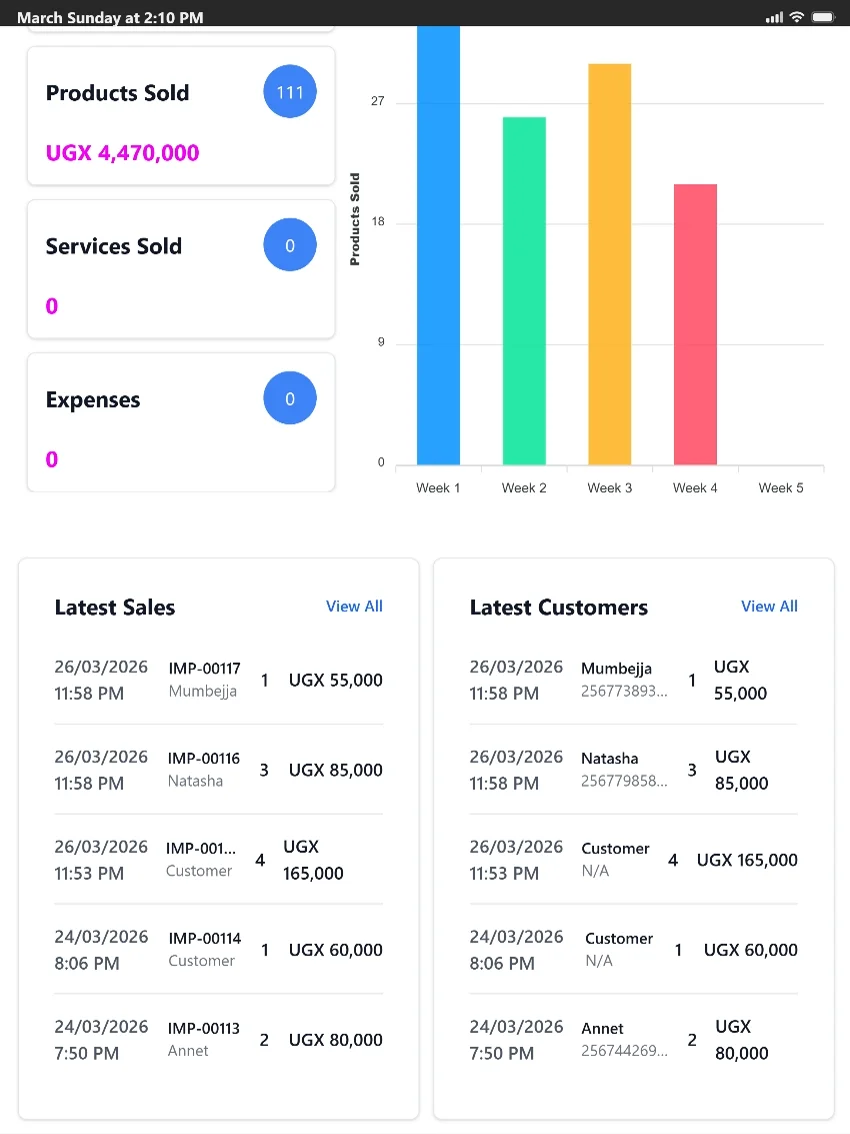
Tablet-friendly checkout
A tablet-friendly view for counters and supervisors who need quick access to products sold, latest sales, customer activity, and reports.
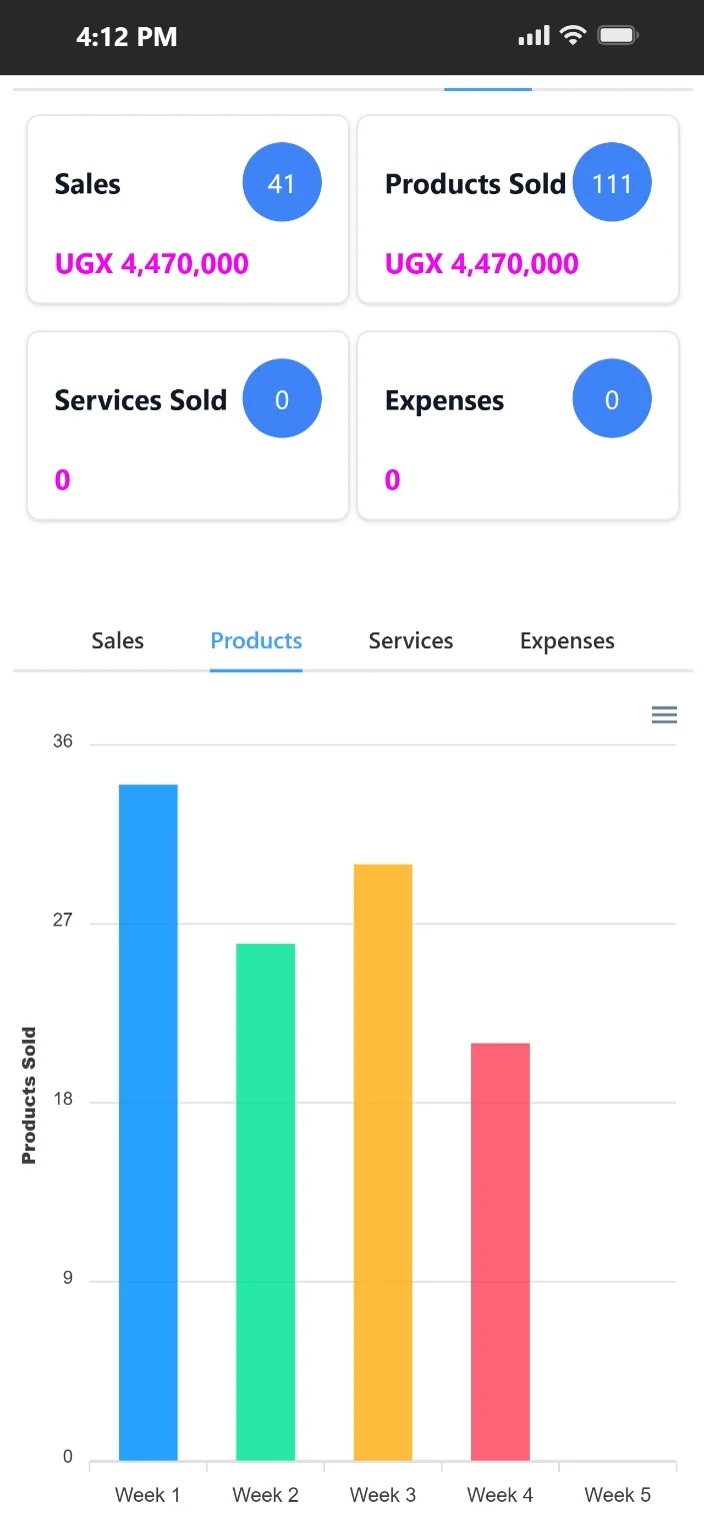
Mobile access on the go
Mobile-friendly access helps owners and supervisors review sales, products sold, expenses, and product movement when they are away from the counter.
Feature evidence
Real-world outcome
Improved refill planning across three locations
"The biggest win for us was visibility. We moved from reactive stock management to confident planning because the cloud reports tell us exactly what needs attention."
Daniel Okello
CityCare Pharmacy · Pharmacy · Entebbe, Uganda
Teams choosing cloud POS usually want one central view of their operation. They want fewer blind spots, easier support for multiple users, and cleaner access to reporting from wherever management is working.
In Uganda, this is critical because owners often manage multiple counters or branches in Kampala while traveling or working from home. But cloud convenience only helps when the underlying system has strong local cashier controls.
TselevPOS combines the accessibility buyers expect from cloud software with the operating controls businesses need to trust the numbers they see.
That makes it especially useful for businesses in Uganda moving away from notebooks, Excel-heavy routines, or billing-only tools that create more management follow-up than clarity.
Buyer evaluation
Verify if the cloud POS lets you check stock levels and cash balances at each location without physical visits.
Ensure that sales transactions appear on the owner dashboard immediately as they happen.
Confirm that you can edit cashier roles and permissions remotely from the cloud console.
Warning signs
Trial checklist
Supported footprint
Compliance boundaries
Next step
These pages are meant to help serious buyers evaluate operational fit. If the workflow, controls, and reporting model match what your team needs, the next step is to see the product in context.
FAQ
Yes. TselevPOS supports multi-branch setups, allowing you to track inventory, cashiers, and sales across Kampala or other cities from a single dashboard.
No. TselevPOS is optimized for Uganda's mobile networks. It requires minimal data and works offline, syncing when a connection is available.
Yes. All sales, cashier, and stock records are encrypted and stored in secure cloud databases with automatic daily backups.